
Why Accessibility Is Ignored - and Why It Still Matters

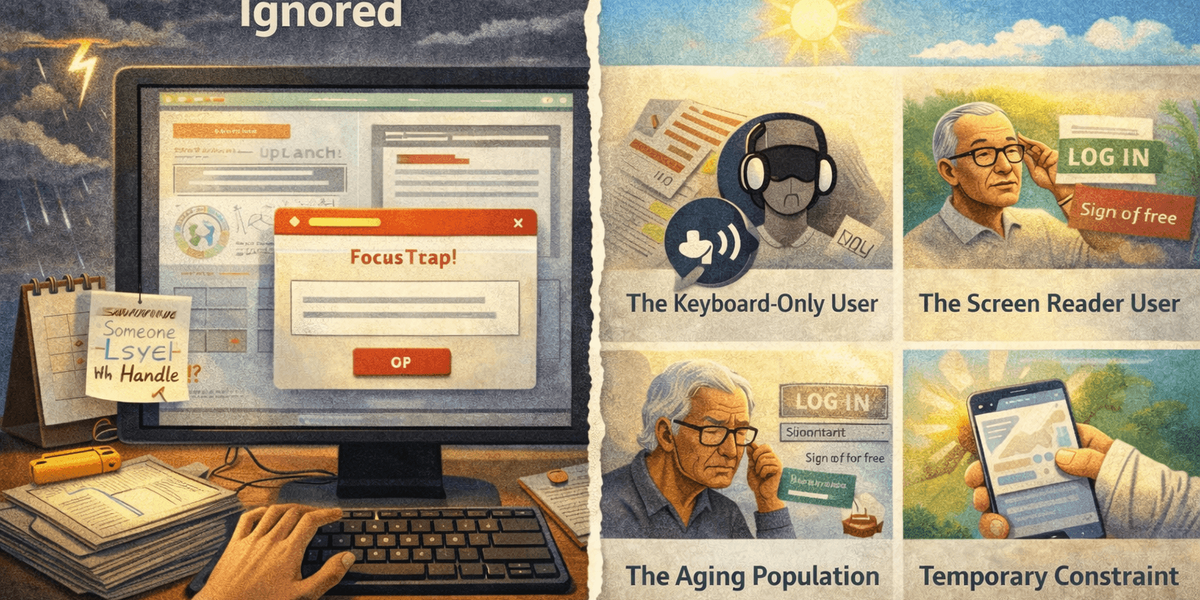
Accessibility is rarely ignored because people don’t care.
It’s ignored because it doesn’t scream.
It doesn’t crash production.
It doesn’t block deployments.
It doesn’t usually trigger immediate complaints.
It quietly fails specific users — and most teams never see it happen.
That’s the problem.
Why Accessibility Gets Pushed Aside
Let’s be honest about the real reasons.
1. It’s invisible to most teams
If you don’t rely on a screen reader, keyboard navigation, captions, or high contrast mode, many accessibility issues simply don’t appear in your day-to-day experience.
A modal looks fine.
A form submits.
A page loads.
From the team’s perspective, everything works.
Accessibility failures often exist in layers that are invisible unless you deliberately test for them.
2. It feels abstract
Performance has numbers.
Security has threats.
Accessibility often has guidelines.
WCAG success criteria can feel theoretical if you haven’t seen the real-world impact.
“1.4.3 Contrast (Minimum)” doesn’t sound urgent.
A user who cannot read your checkout button does.
The human consequence gets lost behind the compliance language.
3. It competes with visible priorities
Deadlines.
Feature requests.
Redesigns.
Marketing launches.
Accessibility improvements rarely win roadmap battles because their impact isn’t immediately measurable in revenue.
So they get deferred.
And then deferred again.
4. Teams assume someone else is responsible
Design assumes development will handle it.
Development assumes design accounted for it.
Product assumes QA tested it.
QA assumes it was specified.
Accessibility becomes everyone’s responsibility — which means it becomes no one’s responsibility.
Why It Actually Matters (Beyond Compliance)
Accessibility is often framed as either:
- a legal requirement or
- a moral obligation
It is both.
But it is also something more practical: basic usability under constraints.
Here are real-world scenarios that illustrate why this matters.
User Case 1: The Keyboard-Only User
A user with motor impairments relies entirely on keyboard navigation.
They land on your site and attempt to:
- Navigate the menu
- Open a modal
- Complete a checkout form
The focus jumps unpredictably.
A modal traps the keyboard.
The submit button is unreachable.
From your analytics, this looks like “abandoned session.”
From their perspective, your site is unusable.
No complaint is filed. They just leave.
User Case 2: The Screen Reader User
A visually impaired user uses a screen reader to browse your content.
They encounter:
- Buttons labeled only “Click here”
- Images with meaningless alt text
- Headings that don’t reflect page structure
Navigation becomes guesswork.
The site technically loads.
But it is cognitively exhausting to use.
Again, you see bounce rate.
They experience friction and exclusion.
User Case 3: The Aging Population
Accessibility is not only about permanent disabilities.
A large and growing segment of users:
- Have declining vision
- Have reduced motor precision
- Use zoom frequently
- Struggle with low contrast text
A slightly low-contrast button that “looks fine” to a 28-year-old designer may be unreadable to a 62-year-old customer.
Accessibility is not edge-case design.
It’s future-proof design.
User Case 4: The Temporary Constraint
Accessibility also protects users in temporary conditions:
- A broken arm
- Bright sunlight on a mobile screen
- A noisy train requiring captions
- Slow internet requiring simpler layouts
When accessibility is built properly, usability improves for everyone.
The Business Reality
Ignoring accessibility carries consequences:
- Legal risk (increasingly enforced)
- Lost public sector contracts
- Damaged brand trust
- Missed market reach (15%+ of the global population lives with some form of disability)
But the quieter cost is more subtle:
You are leaking users you never realise you had.
Why This Will Matter Even More Going Forward
Regulations are tightening.
Public awareness is growing.
Assistive technologies are improving.
Expectations are rising.
Accessibility is moving from “optional compliance” to “baseline expectation.”
The organisations that treat it as a long-term discipline - not a last-minute audit - will adapt smoothly.
The ones that ignore it will eventually be forced to react under pressure.
The Core Truth
Accessibility is ignored because it fails quietly.
But it matters because users don’t.
They adapt.
They leave.
They choose alternatives.
And they rarely tell you why.
Accessibility isn’t about perfection.
It’s about reducing unnecessary barriers.
And in a digital world where competition is one click away, barriers are expensive.