
Who Accessibility Is Actually For

(Hint: Not Just Blind Users)
When people hear “web accessibility,” they often picture one specific scenario:
A blind person using a screen reader.
That’s part of the story.
But it’s a small part.
If accessibility only benefited blind users, it would still matter.
But the reality is much broader.
Accessibility is for far more people than most teams realise — including people who don’t consider themselves “disabled” at all.
Let’s break that down.
1. People Who Don’t Use a Mouse
Not everyone navigates the web with a mouse.
Some users rely entirely on:
- Keyboard navigation
- Switch devices
- Alternative input systems
- Voice commands
This includes people with:
- Motor impairments
- Tremors
- Repetitive strain injuries
- Limited fine motor control
It also includes someone who just broke their wrist.
If your site can’t be used without a mouse, you’ve excluded all of them.
Accessibility ensures navigation still works when the primary input method changes.
2. People With Visual Impairments (Not Just Blindness)
Accessibility isn’t binary — sighted or blind.
There’s a wide spectrum in between:
- Low vision
- Age-related vision decline
- Color blindness
- Light sensitivity
- Cataracts
- Temporary eye strain
For someone with reduced vision, low contrast text isn’t a minor design flaw — it’s unreadable.
For someone with color blindness, a red/green error message might not communicate anything.
Accessibility helps content remain usable under imperfect visual conditions.
And those conditions become more common with age.
3. People Using Screen Readers
Yes, this group matters - and not only for total blindness.
Screen readers are used by:
- Blind users
- People with severe low vision
- Some users with cognitive disabilities
- Power users who prefer auditory scanning
When headings are structured properly and buttons are clearly labelled, navigation becomes efficient instead of frustrating.
If the structure is broken, the experience becomes guesswork.
Accessibility ensures content isn’t just visible - it’s understandable when read aloud.
4. People in Temporary Situations
Accessibility isn’t only about permanent conditions.
It also benefits people who are:
- Holding a baby with one arm
- Using their phone in bright sunlight
- On a noisy train without headphones
- Recovering from surgery
- Using a cracked or small screen
- Experiencing migraines
These are temporary limitations.
Accessible design makes your website resilient under those constraints.
Good accessibility often looks like good flexibility.
5. People With Cognitive Differences
Accessibility also supports users who:
- Process information more slowly
- Struggle with complex layouts
- Need clearer instructions
- Rely on predictable navigation
Clear structure, consistent patterns, readable text, and well-explained errors help far more people than we typically assume.
Accessibility reduces cognitive friction.
And cognitive friction is one of the most common reasons users abandon tasks.
6. Older Adults (A Growing Demographic)
The global population is aging.
Older adults often experience:
- Reduced vision
- Reduced contrast sensitivity
- Reduced motor precision
- Reduced memory retention
- Slower processing speeds
Many do not identify as “disabled.”
But they benefit enormously from accessible interfaces.
Accessibility isn’t niche.
It’s aligned with demographic reality.
7. Everyone, Eventually
Here’s the uncomfortable truth:
Accessibility is for all of us - just at different times.
If you live long enough, you will:
- Lose some vision
- Lose some dexterity
- Experience temporary impairments
- Use devices in suboptimal environments
Accessibility is not about “them.”
It’s about future you.
Why This Perspective Matters
When accessibility is framed narrowly, it feels optional.
When it’s understood as inclusive design under varied conditions, it becomes fundamental.
Accessible websites:
- Reach more people
- Reduce friction
- Improve usability for everyone
- Decrease abandonment
- Increase trust
- Lower legal risk
- Strengthen brand reputation
But more than that - They respect human variability.
The Bigger Picture
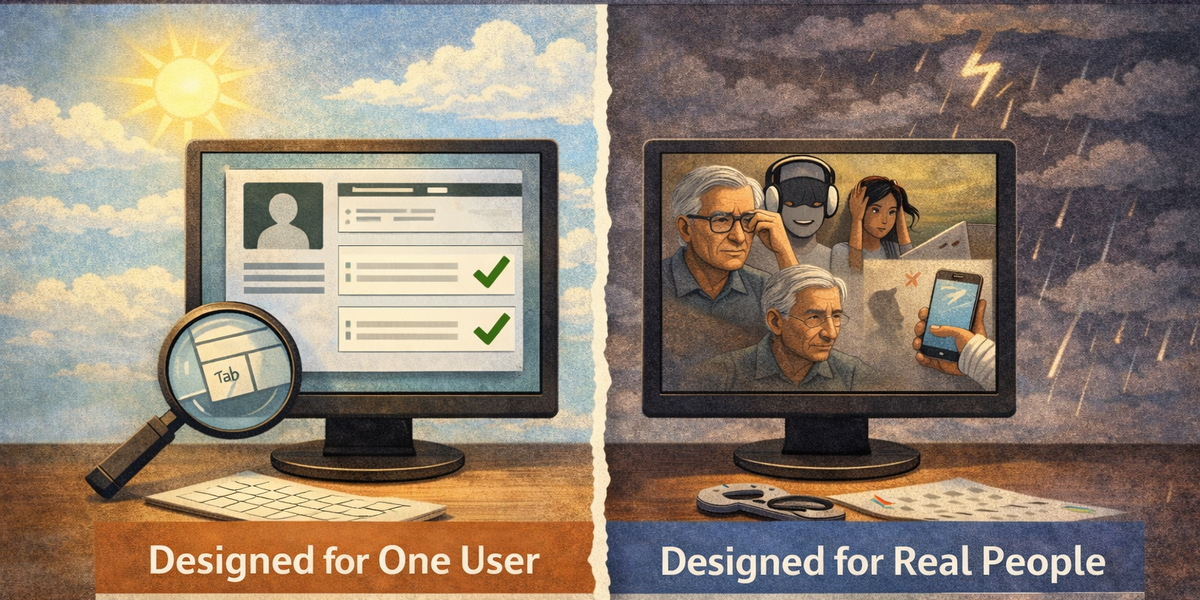
Most websites are built for an idealised user:
- Perfect vision
- Perfect motor control
- Quiet environment
- Modern device
- Fast connection
- Full attention
That user rarely exists in reality.
Accessibility means designing for the real world — not the ideal one.
Final Thought
If you think accessibility is only for blind users, you’ll treat it as a checkbox.
If you understand that accessibility is for:
- Keyboard users
- Older adults
- Injured users
- Distracted users
- Users in bright light
- Users in noisy places
- Users with cognitive differences
Then accessibility becomes something else entirely.
It becomes basic usability.
And usability is not optional.