
What Web Accessibility Really Means

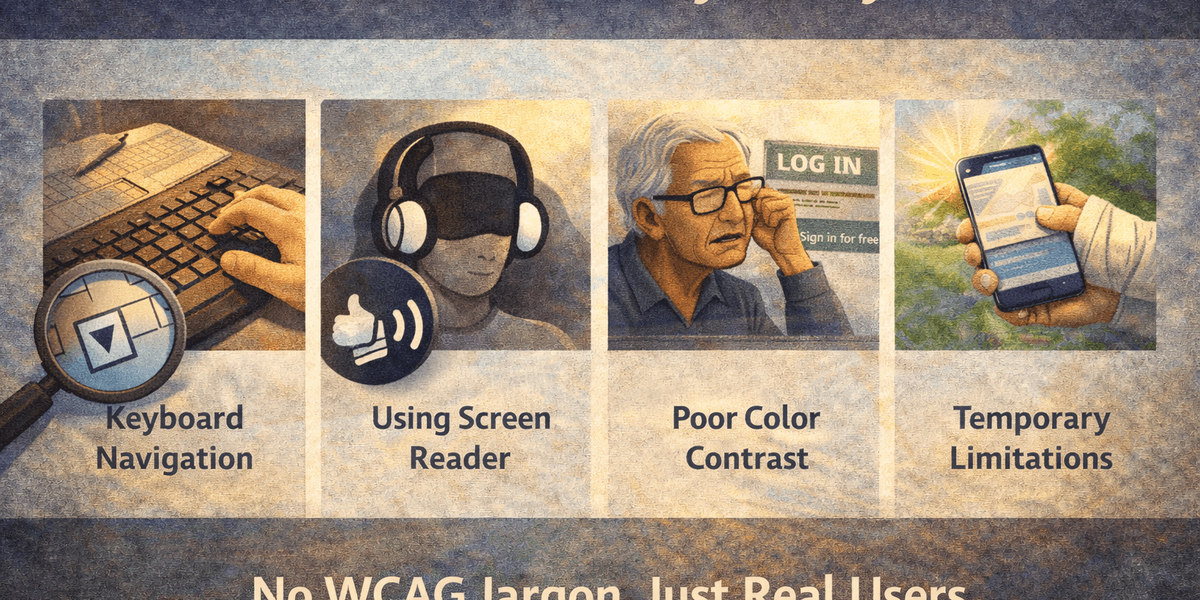
(Without WCAG Jargon)
When people hear “web accessibility,” they often think of guidelines, checklists, and legal compliance.
WCAG this.
AA level that.
Contrast ratios.
ARIA roles.
And somewhere along the way, the real meaning gets buried under technical language.
So let’s strip all of that away.
Web accessibility simply means this:
Can people use your website — regardless of how they access it?
That’s it.
Not pass.
Not score well.
Not satisfy a document.
Use it.
Accessibility Is About Removing Unnecessary Barriers
Imagine walking into a shop where:
- The door handle is too high to reach.
- The lights are so dim you can’t read labels.
- The checkout counter blocks wheelchair access.
- The staff ignore you because you communicate differently.
That shop technically exists.
But it’s not usable for everyone.
Websites can create the same kinds of barriers - just digitally.
Accessibility is the practice of removing those unnecessary obstacles.
It’s Not Just About Blind Users
A common misconception is that accessibility is only for people who are blind.
In reality, it affects a much broader group:
- Someone navigating by keyboard because they can’t use a mouse.
- Someone with reduced vision who increases text size.
- Someone with color blindness struggling with low contrast.
- Someone with a broken arm.
- Someone reading in bright sunlight.
- Someone watching video without sound in a noisy train.
- Someone aging into different physical capabilities.
Accessibility is not about edge cases.
It’s about human variability.
What Accessibility Looks Like in Practice
Without any jargon, accessibility means:
- You can navigate a site without a mouse.
- Buttons and links clearly describe what they do.
- Text is readable against its background.
- Forms explain errors clearly.
- Content structure makes sense when read aloud.
- Interactive elements behave predictably.
- You don’t get trapped in a modal with no way out.
None of this is exotic.
It’s thoughtful design under different conditions.
Why It’s Often Ignored
Accessibility gets sidelined because:
- Most teams don’t personally experience barriers.
- Issues don’t always break the site.
- The people affected often leave quietly.
- It’s framed as compliance instead of usability.
If a checkout flow is broken for 2% of users, analytics may show “drop-off.”
But for those users, it’s a complete failure.
Accessibility failures are often invisible to the team building the product.
That’s why deliberate testing matters.
Accessibility Is About Dignity
There’s a practical argument for accessibility:
- Larger audience
- Lower legal risk
- Better usability
- Stronger brand trust
All true.
But underneath that is something simpler:
Accessibility is about whether someone can complete a task independently.
Can they buy a product?
Book an appointment?
Read information?
Apply for a job?
Or do they need help because the interface wasn’t built with them in mind?
Accessibility preserves autonomy.
That’s why it matters.
It’s Not About Perfection
Accessibility does not mean:
- Every site must be flawless.
- Every edge case must be solved instantly.
- Every guideline must be memorised.
It means:
- You actively look for barriers.
- You fix what you reasonably can.
- You don’t ignore known problems.
- You treat usability under constraints as part of quality.
It’s a mindset shift.
From:
“Does this work for most people?”
To:
“Who might this fail - and why?”
The Quiet Truth
Most accessibility problems are not dramatic.
They are small things:
- A missing label.
- A confusing focus order.
- A low-contrast button.
- An unannounced state change.
Individually minor.
Collectively exhausting.
Accessibility is about noticing those friction points before users do.
Because many won’t complain.
They’ll just leave.
If You Strip Away the Standards…
What web accessibility really means is this:
Build websites that still work when conditions aren’t ideal.
When someone:
- Can’t see well
- Can’t hear audio
- Can’t use a mouse
- Can’t distinguish colors
- Can’t process cluttered layouts
If your website still functions clearly and predictably under those constraints, it’s accessible.
Not because it passed a checklist.
But because it works for real people.
If you’d like next, I can:
- Create a shorter LinkedIn version of this
- Add subtle conversion language toward monitoring/testing
- Tighten it to 1,200 SEO-optimised words
- Or write a companion piece: “Accessibility vs Usability - What’s the Difference?”